 InkLora
Share your Lorcana deck
Built a deck you want to show? Press “Share” in the Deck Builder to share it as a link or an image. No account needed: whoever opens it sees the whole deck.
Two ways to share
- Share link: a link of about 200 characters that fits in WhatsApp, Discord or Facebook. Opening it shows a preview of the deck, and “Save to my decks” adds it to their own Deck Builder.
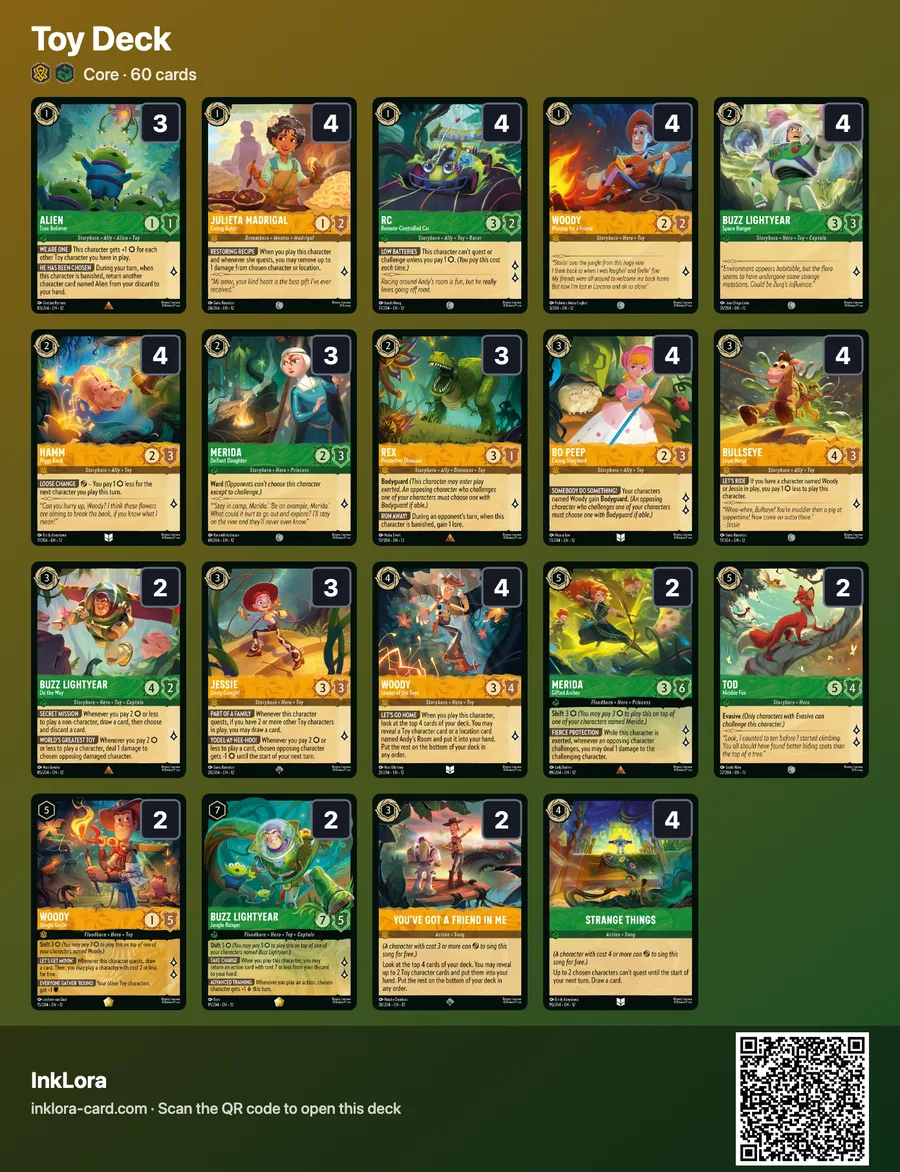
- Deck image: the cards in a grid with the number of copies at each card’s top right, plus the deck name, inks, format and a QR code, ready for Instagram, Facebook groups or Discord.
Three steps
- In the Deck Builder, pick the deck to share and press “Share”.
- Press “Copy link”, or “Share…” on a phone to send it straight away.
- For an image, press “Download image”, or “Share image” on a phone.
FAQ
Do my friends need an account?
No. Opening the link or scanning the QR code shows the deck; saving it keeps it in their own browser.
Does the share link expire?
No. The deck is written into the link itself, not stored on a server, so the link keeps working.
Are Enchanted and other special printings kept?
Yes. The link records each card’s printing, so an Enchanted copy stays Enchanted in their deck.
Can a deck image be imported again?
Yes. “Import image” reads InkLora deck images back into the whole deck.
Is the Core or Infinity format kept?
Yes. The saved deck uses the same format as yours.
Found someone else’s deck image? Import a deck from a picture ›